
How to take good photos of clothes for sale?
Improve your chances of selling used clothes online with better photographs. Learn how to prepare garments, use backgrounds, show details and control continuous or flash lighting.
Learn how better photographs can improve your chances of selling clothes online.
A detailed description matters, but an attractive photograph is often what makes a potential buyer stop and look. Consistent, well-lit images can even help create a recognizable seller profile. Here are practical tips for photographing second-hand clothes at home.
Prepare the clothes
Iron the garment, remove pilling and visible imperfections, and pay attention to details such as collars and cuffs.
Keep the main item in the center
Avoid distracting objects around the main garment. The viewer should immediately know what the listing is selling.
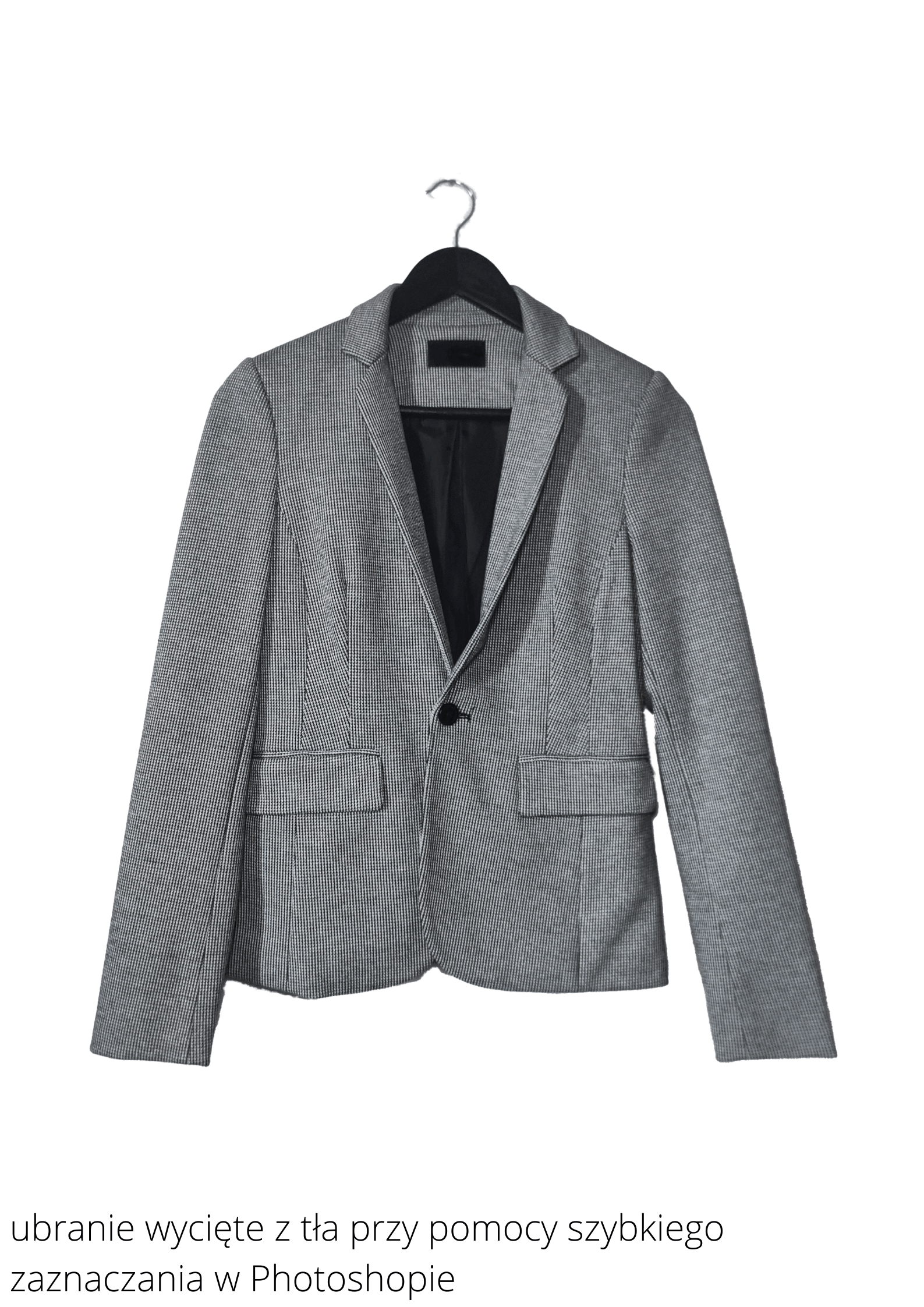
Use a hanger and a clean background
Choose a simple background that contrasts with the garment. If necessary, you can remove or replace the background later in editing software.
Remember the details
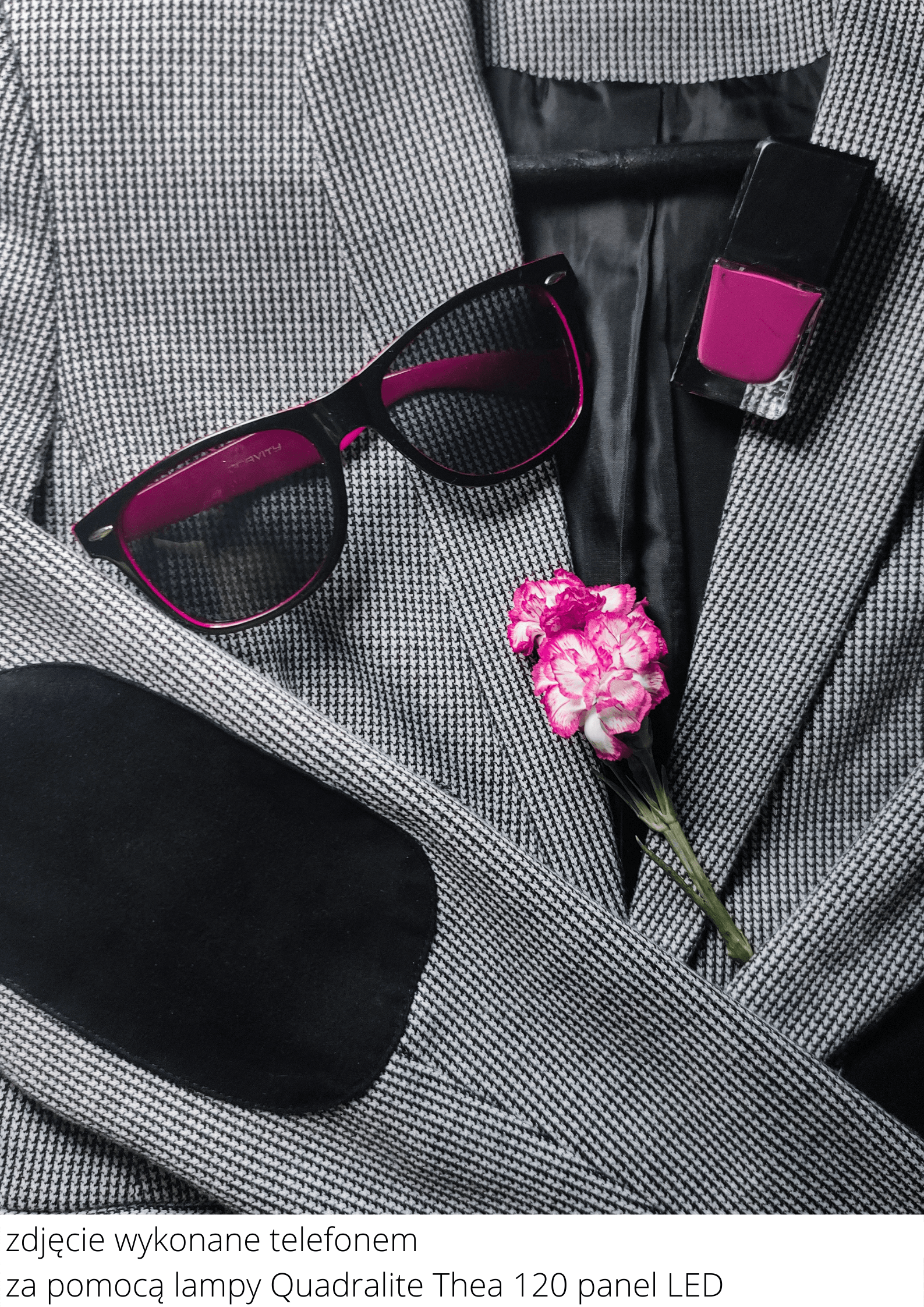
Detail photographs give useful information and make a listing more attractive. Flat-lay images can complement the main product view; accessories, jewelry, flowers or other garments can help communicate the styling. Keep them secondary so they do not compete with the item for sale.
Avoid heavy filters
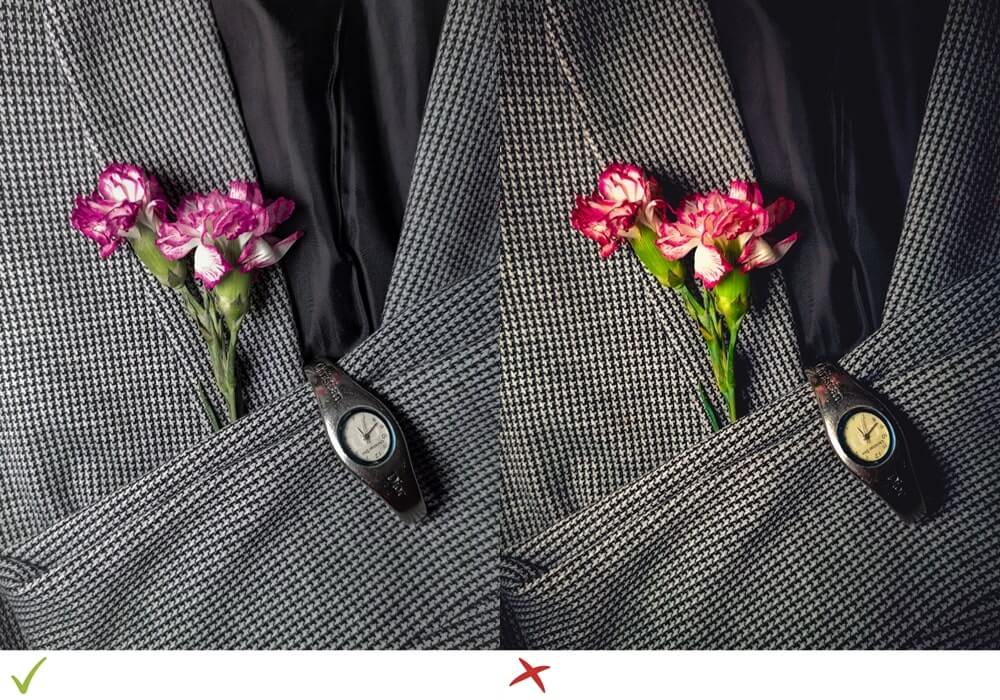
Basic editing is useful: straighten, crop, adjust brightness and contrast, remove distractions, sharpen and export at the right size. Strong filters can distort fabric colors, while buyers need to see the real shade of the garment.
Pay attention to light
Good light is essential. If a room lacks natural light, use artificial lighting to create cleaner, more professional and repeatable images.
Continuous light for smartphone users
A smartphone can produce excellent clothing photographs. A Quadralite LED panel provides soft studio-like light without hard shadow transitions. Its brightness and color temperature can be adjusted and the panel can be positioned at different angles and distances. Because you see the result continuously, setup is intuitive.
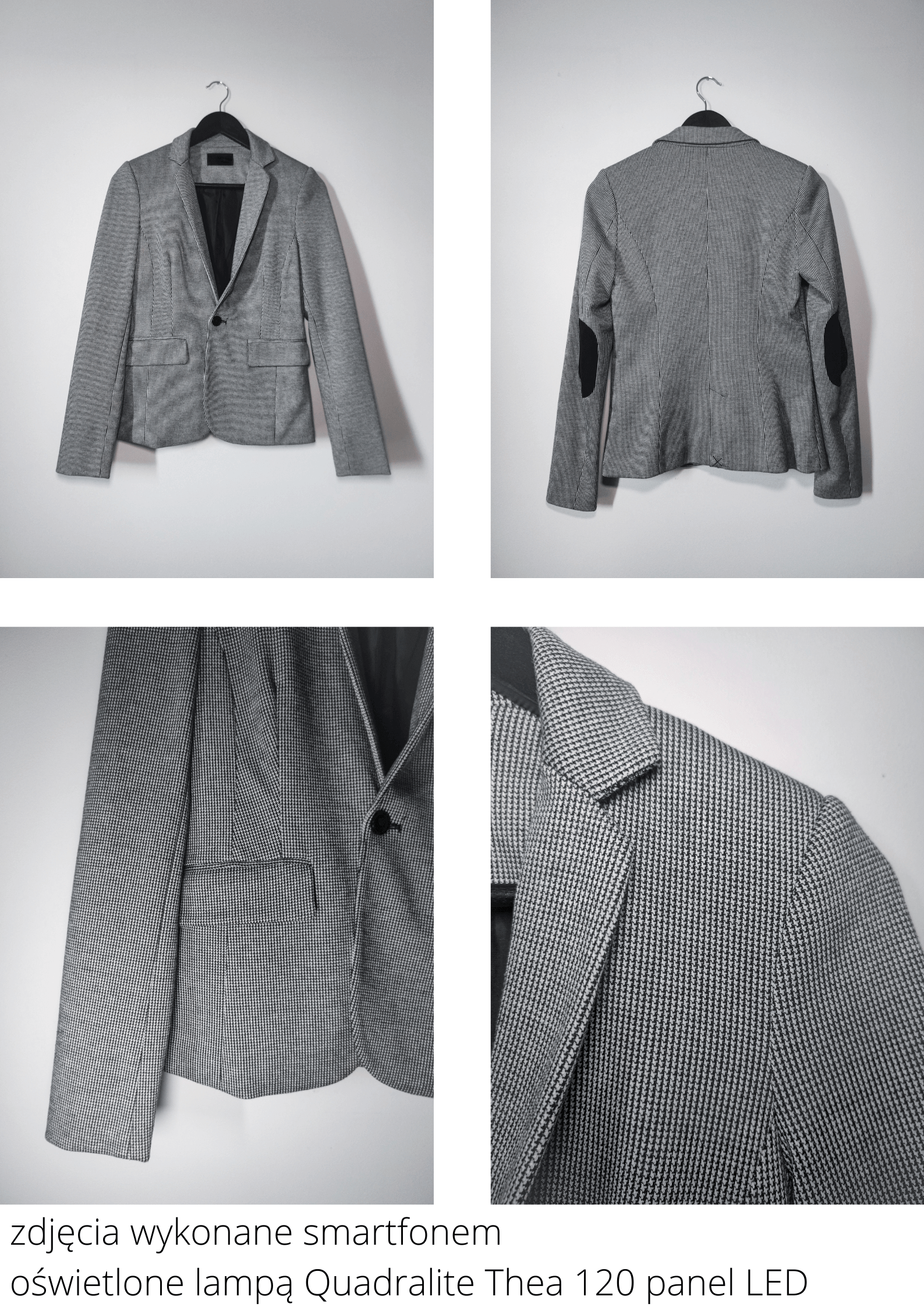
Flash for camera users
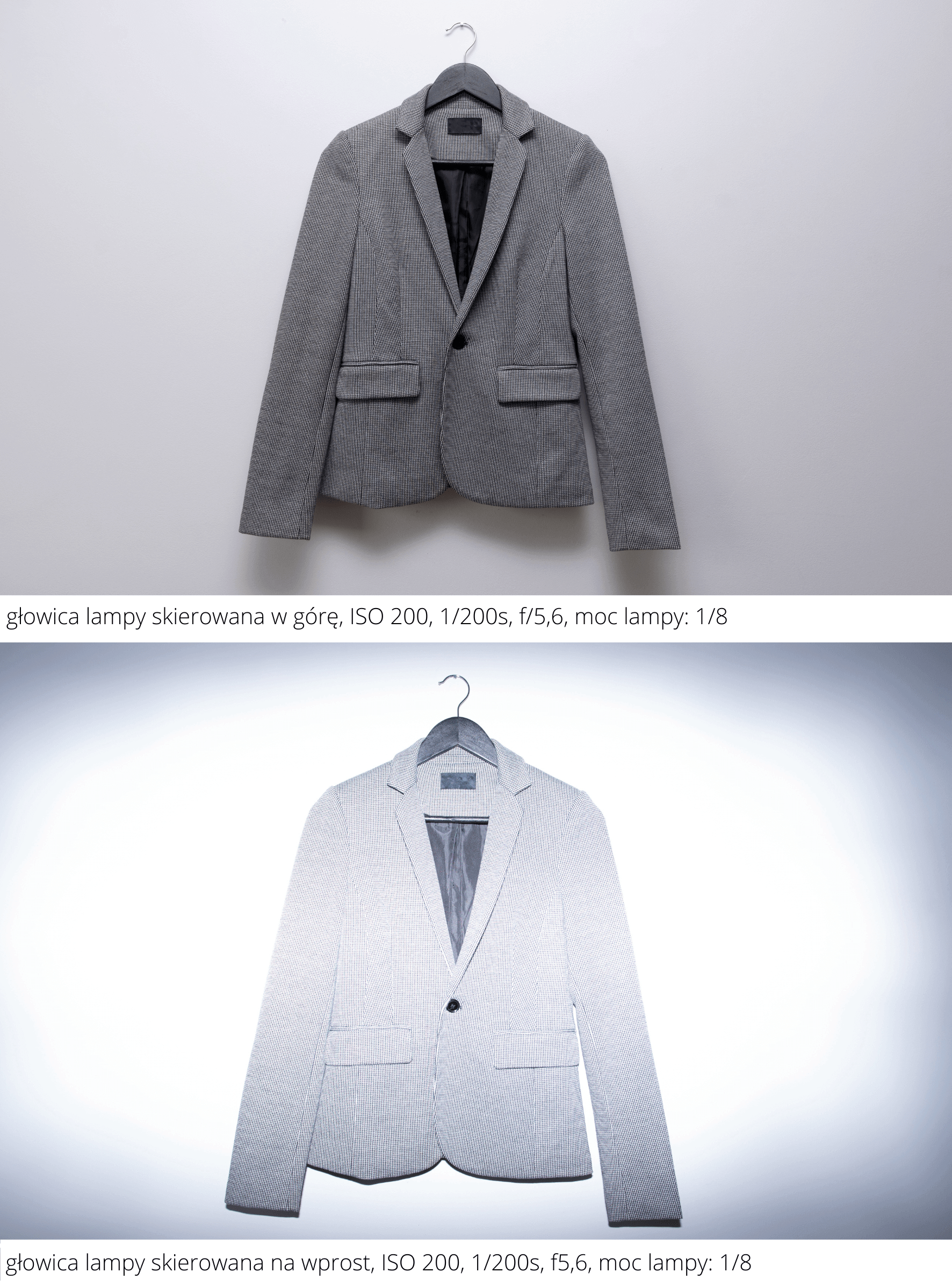
If you use a DSLR or mirrorless camera, a Quadralite flash mounted on the hot shoe can separate the product from the background and produce crisp detail. TTL automatically controls flash power, which makes it particularly useful for beginners.
How to photograph with flash
Pointing the flash head toward the ceiling rather than directly at the garment can create softer bounced light. If the ceiling is too high, use the built-in white bounce card. Keep a sensible distance from the subject to avoid overexposure.
Manual camera settings
Manual mode gives you control over the exposure triangle:
- Aperture controls the opening in the lens and affects both exposure and depth of field. For example, f/2.8 is brighter and shallower than f/5.6.
- Shutter speed determines how long the shutter remains open. In low light a slower value such as 1/20 s may require a tripod. With flash, stay within your camera's synchronization speed, commonly around 1/160–1/250 s.
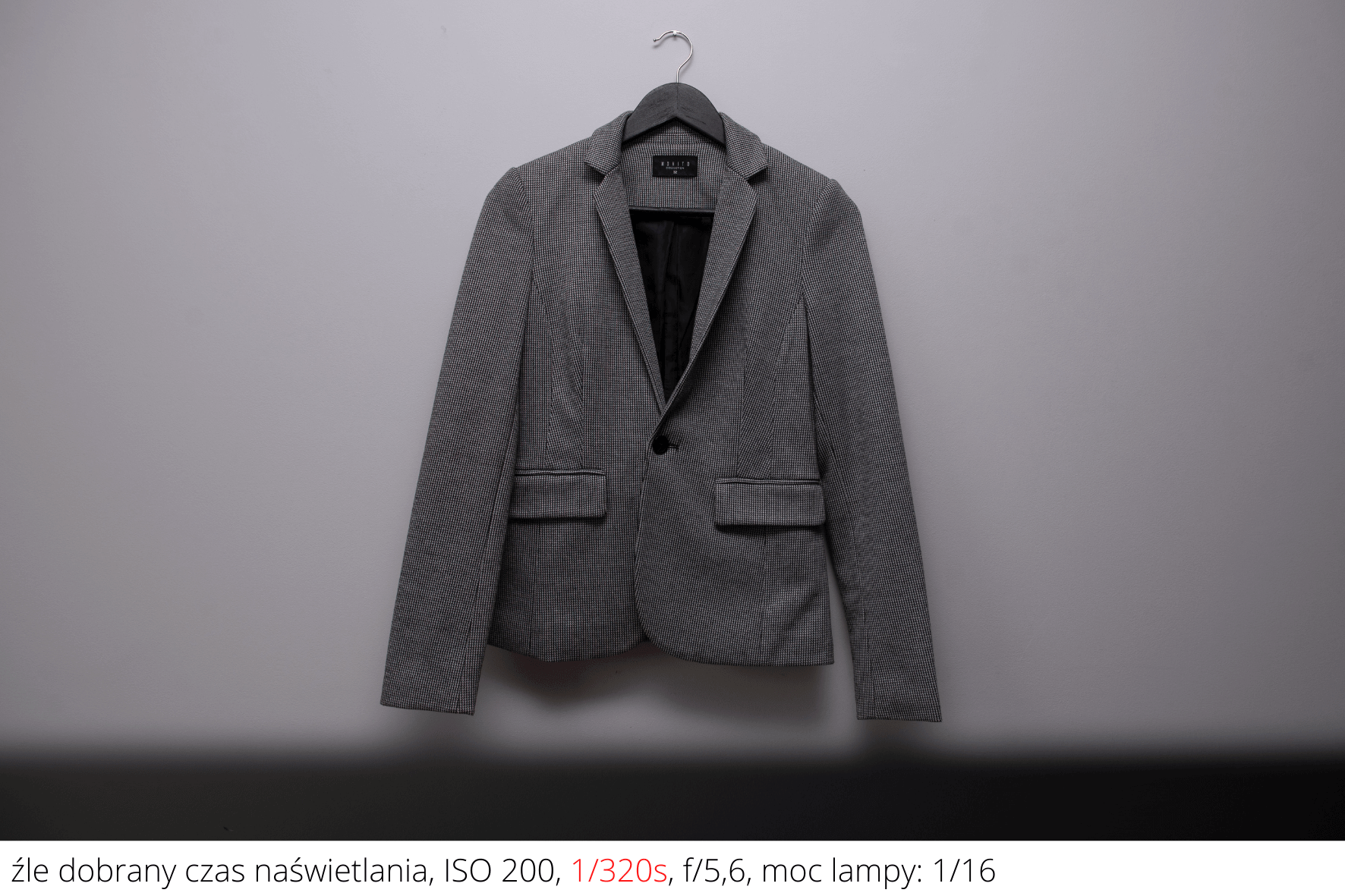
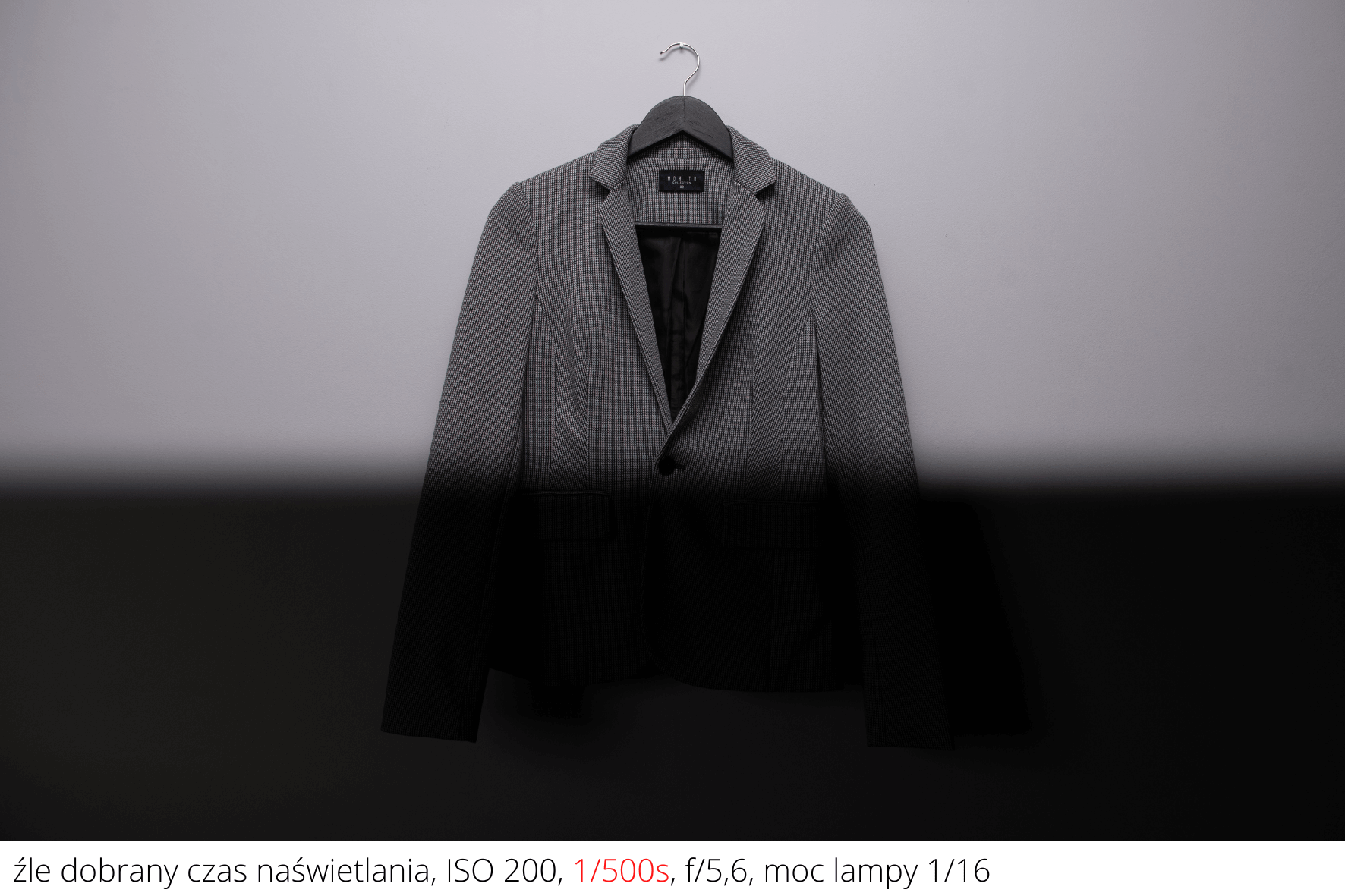
- ISO controls sensor sensitivity. For clothing, low values such as ISO 200–400 usually help maintain clean product detail; high ISO can introduce visible digital noise.
Manual flash settings
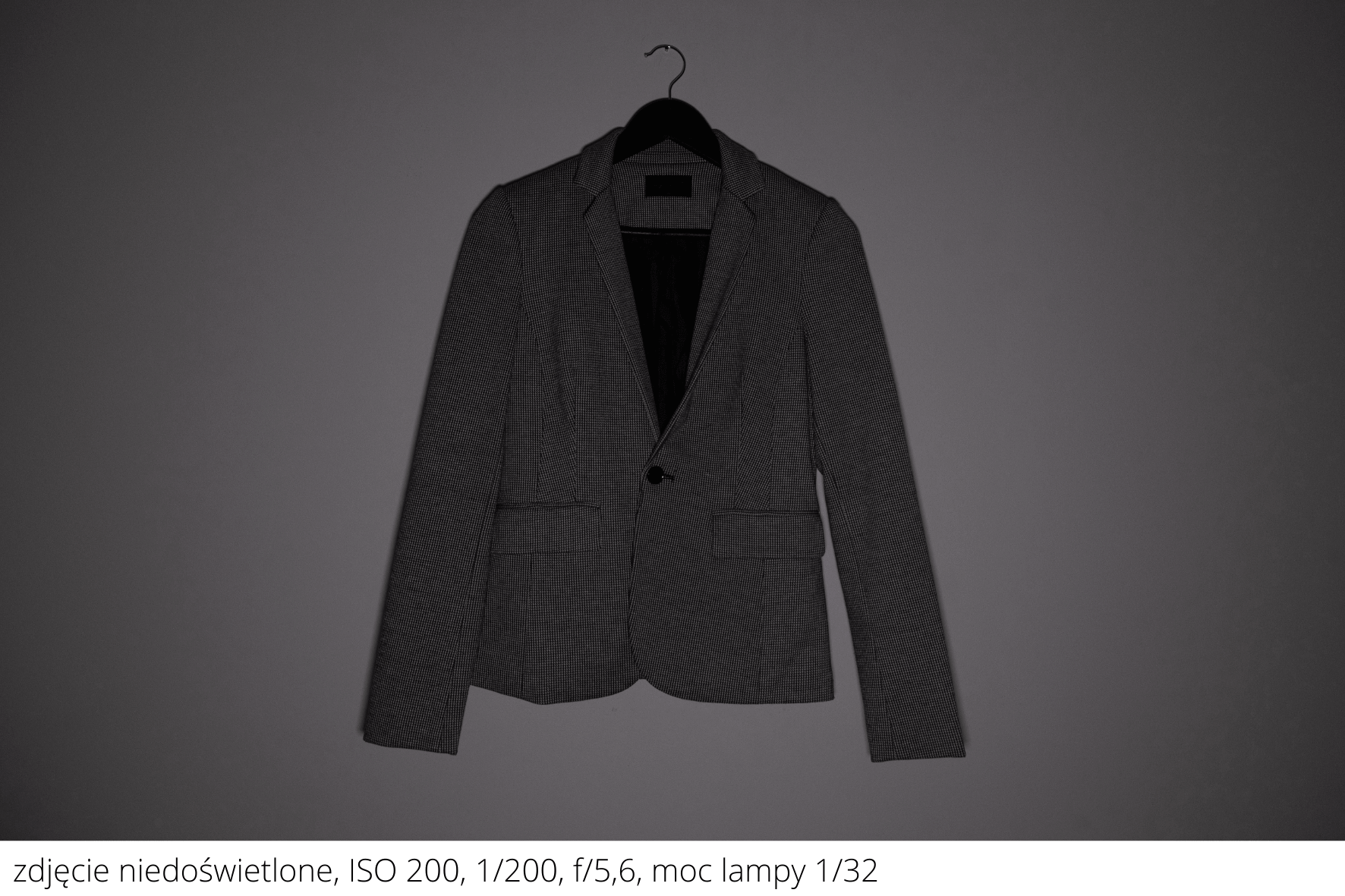
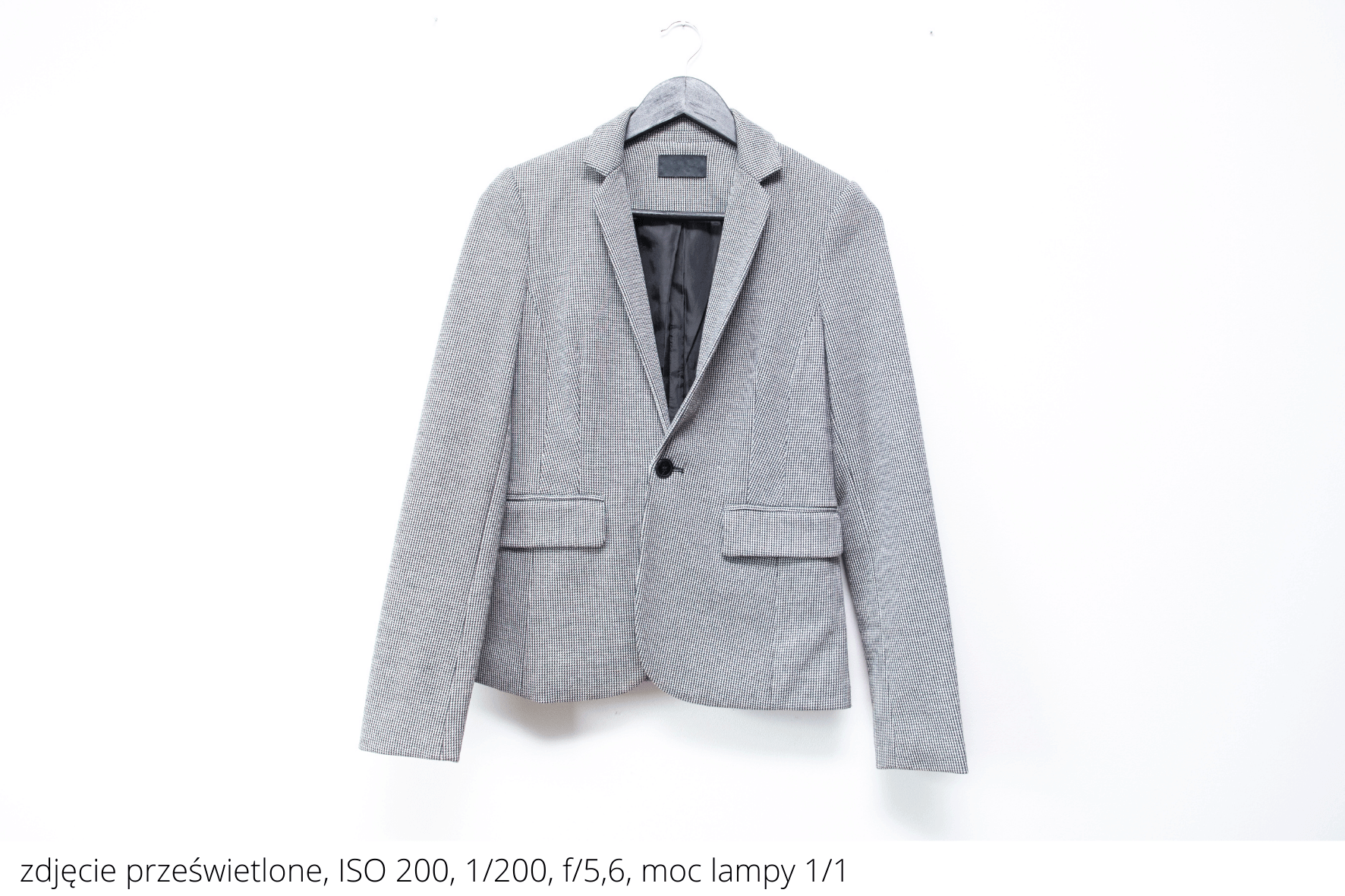
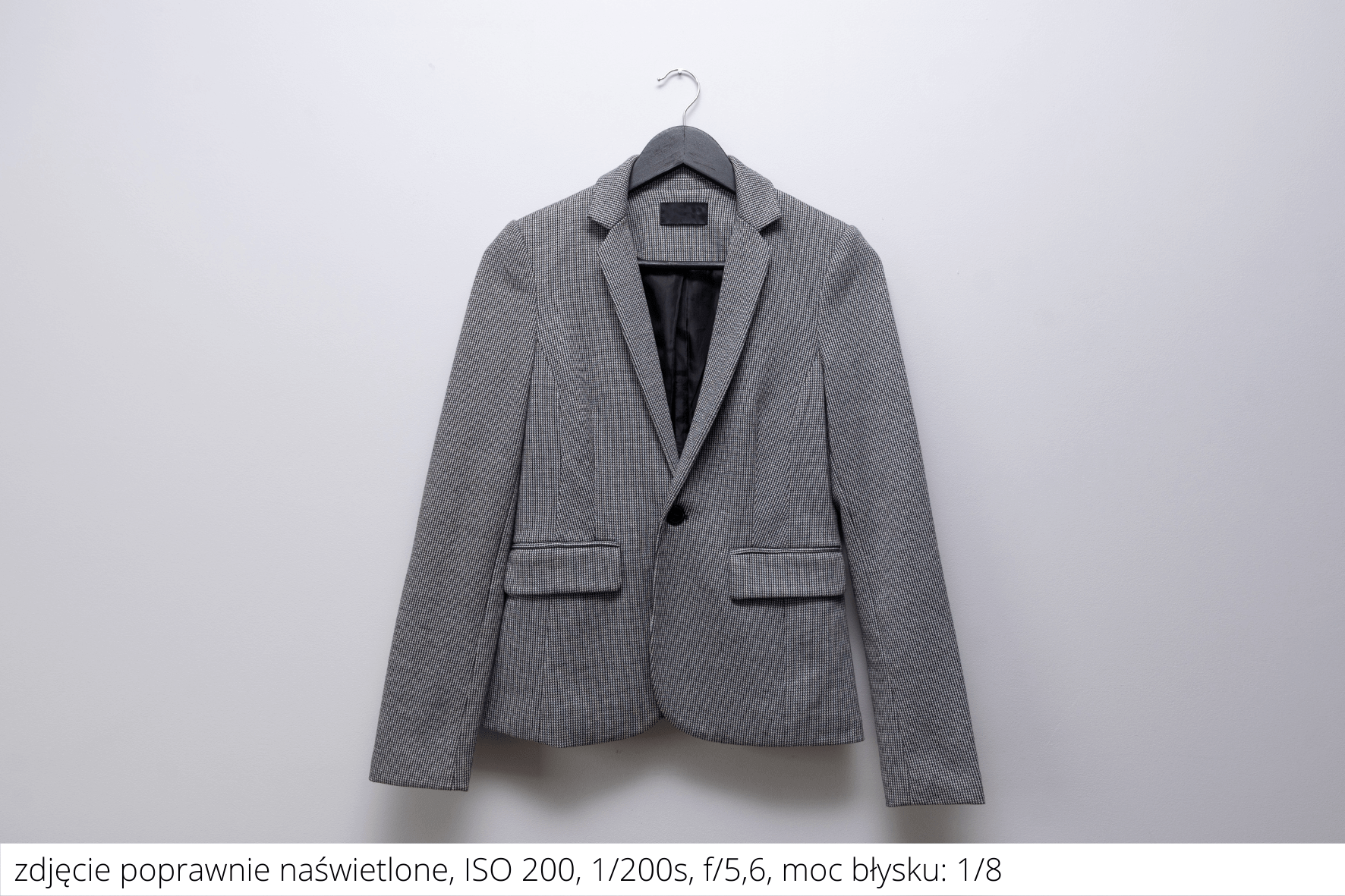
Manual mode on the Quadralite flash is activated with the MODE button. Power can be set from full power (1/1) down to 1/128. Take test shots at different power levels and choose the exposure that best represents the product.
Why use artificial light?
Natural light changes with weather, season and time of day. If you sell many items, consistent lighting and color across listings is valuable. A flash or LED panel makes it easier to maintain a coherent, professional look and photograph whenever you need to.